Picture handing a valet a car key that only works once, for ten minutes, in one parking lot. If someone copies it, it opens nothing. That is roughly what a virtual card number does for your real credit card when you shop online.
Instead of typing your actual 16 digits into a checkout box, you type a stand-in number that maps back to your card behind the scenes. If a store gets breached or a subscription keeps charging you after you cancel, the stand-in takes the hit, not the card in your wallet.
Key takeaways
- A virtual card number is a substitute number tied to your real card, so merchants never see your true digits.
- Many major banks and card issuers offer them free, often inside the app or browser extension you already have.
- One-time numbers are ideal for a sketchy store; locked merchant numbers are ideal for subscriptions you want to control.
- If a virtual number leaks, you delete it in seconds without reissuing your physical card.
- They do not replace fraud alerts or credit monitoring; they work alongside them.
What a virtual card number really is
A virtual card number is a real, working card number that your bank generates on demand. It carries its own number, expiry date, and security code, and every charge on it flows straight to your actual account and statement.

The merchant only ever sees the substitute. So when you read about yet another retailer losing millions of card numbers to hackers, the number they lost for you is a dead end. It points back to a token you can cancel, not to the card you need for groceries.
Some banks let you lock a virtual number to a single merchant. Once locked, that number simply refuses any charge from a different company, even if a thief steals it. That single feature stops a huge share of online card fraud cold.
Where to get one without paying
You may already have this and not know it. Several large issuers build virtual numbers right into their apps and browser tools, at no extra cost.
The names change over time, so check your own bank rather than trusting a list, but here is the general landscape as of 2026.
| Source | How it works | Best for |
|---|---|---|
| Your bank or card issuer | Generate a number in the app or a browser extension that autofills at checkout. | Everyday online shopping on your existing card. |
| Standalone virtual card app | A separate service creates numbers funded from your bank; some cap spending per number. | People whose bank offers no virtual numbers. |
| Mobile wallet (Apple Pay, Google Pay) | Uses a hidden device token instead of your card number at supported checkouts. | Sites and apps that accept wallet payment directly. |
| PayPal or similar | The seller sees the payment service, never your card. | Marketplaces and unfamiliar sellers. |
When I set this up for my dad, we found his main bank had offered free single-use numbers for two years. He had simply never opened that menu. Fifteen minutes later he was generating a fresh number for every new site.
Search your bank’s help pages for “virtual card number” or “single-use card” before signing up for any third-party service. The built-in option is usually free, already tied to your fraud protection, and needs no new account.
One-time numbers versus merchant-locked numbers
Virtual numbers come in two flavors, and picking the right one for the job is most of the skill here.
Single-use, for one-off risky buys
A single-use number works for one purchase, then expires. This is your choice for a store you have never heard of, a flash-sale link, or any checkout where a small voice says “I hope this place is legitimate.”
Even if that store is a front that harvests card numbers, yours is worthless the moment the sale completes.
Merchant-locked, for subscriptions
A merchant-locked number stays active but only accepts charges from the one company you assigned it to. This is perfect for streaming services, gyms, and free trials that quietly bill you later.
The best part is control. When you want to end a subscription that hides its cancel button, you delete the virtual number and the charges bounce. Choosing safer payment tools like this fits naturally with the broader habits in our guide to safer payment methods for online buys.
Deleting a virtual number is not the same as canceling a subscription. The company may still consider you a customer and pursue the balance. Cancel through the service first, then delete the number as a backstop against surprise charges.
Setting up your first virtual number, step by step
The exact taps differ by bank, but the flow is consistent. Here is the path most people follow.
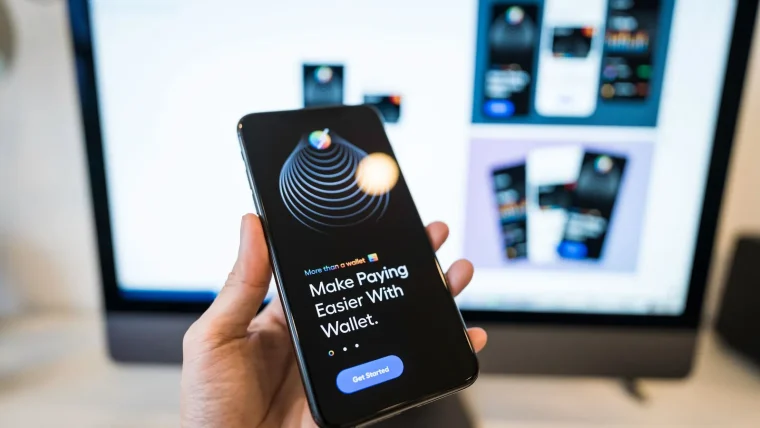
First, open your bank or card app and look for a section called Virtual Cards, Card Controls, or something similar, often under the card’s own menu. If you cannot find it, install the issuer’s browser extension on your computer, which usually offers the same feature at checkout.
Next, tap Create or Generate. Choose single-use for a one-off purchase, or locked-to-merchant for a subscription. Copy the new number, expiry, and code into the store’s payment fields exactly as you would a normal card.
Finally, name the number something you will recognize later, like “Streaming trial” or “Random gadget site.” Months from now, when you review your list, those labels tell you at a glance which numbers to keep and which to delete.
Virtual numbers usually will not work where a physical card must be present, such as picking up an order in store or renting a car. For those, use your real card and lean on alerts and monitoring instead.
Where virtual numbers fit in your defenses
These numbers are a strong layer, not a complete shield. They hide your card details, but they do not watch your credit or warn you when something slips through.
Pair them with real-time alerts and a regular look at your statement so any charge that does get through gets caught fast. They also sit inside a bigger picture worth reading, our overview of protecting your money and identity online, which ties payment safety to the rest of your accounts.
They are also a natural companion to good checkout habits. Even the best virtual number cannot help if you enter it on a fake site, so combine it with the checks in our guide to shopping online safely with any card. For a plain rundown of how card fraud protection works legally, the FTC keeps a clear explainer at consumer.ftc.gov.
Your afternoon checklist
- Open your bank or card app and search for Virtual Cards, Card Controls, or single-use numbers.
- If your bank offers none, look up whether a mobile wallet or payment service covers your usual stores.
- Generate one single-use number and use it for your next purchase from an unfamiliar site.
- Create a merchant-locked number for one subscription you want tighter control over.
- Label each virtual number with a name you will recognize in six months.
- Install your issuer’s browser extension so numbers autofill at checkout on your computer.
- Turn on transaction alerts so any charge that slips past a virtual number still reaches you.
- Note that in-person pickups and rentals still need your real card, and plan for those.
None of this takes technical skill; it takes one visit to a menu you have probably never opened. Do it once and every risky checkout gets a little less risky, because the number you type is no longer the one that matters.