A reader once told me she felt totally safe clicking links in emails because she “had a VPN running.” My heart sank a little. She had bought a tool she did not understand and, worse, it had made her more reckless, not less.
That is the real danger of VPN myths. They do not just waste money; they hand people a false sense of security that leads to riskier behavior. Let us clear the biggest ones up.
Key takeaways

- A VPN hides your browsing from your provider and your location from sites, and little else.
- It does not make you anonymous, block viruses, or stop phishing and scams.
- Believing the myths can make you careless, which is more dangerous than having no VPN at all.
- Match a VPN to its real jobs and keep your other protections firmly in place.
Myth 1: A VPN makes you anonymous
This is the big one, and it is comprehensively false. A VPN changes who can see your connection, not who you are.
The moment you log into your email, your bank, or any social account, you have identified yourself. The site knows exactly who you are, VPN or not. Advertisers still track you through cookies and account activity, and the VPN company itself can see your traffic.
Real anonymity is hard and requires specialized tools and careful habits, not a monthly subscription. A VPN is a privacy layer, not an invisibility cloak. If you want a grounded picture of what it actually does, our primer on whether you really need a VPN lays it out.
Even with a VPN, your browser leaks identifying details through something called fingerprinting: your screen size, fonts, and settings combine into a near-unique signature. That is a browser problem, not something a VPN can solve.
Myth 2: A VPN protects you from viruses and malware
A VPN encrypts and reroutes your connection. It does not inspect what travels through that connection for anything harmful.
If you download a malicious file or open a booby-trapped attachment, the VPN passes it along without complaint. The tunnel does not care whether the contents are a cat video or ransomware.
Some VPN apps now bundle a separate malware blocker as an add-on, which is fine, but that is a different feature doing a different job. The VPN part itself offers zero protection against infections. For that you need updates, sensible downloading habits, and the basics in our guide to online privacy basics you can control.
Myth 3: A VPN stops phishing and scams
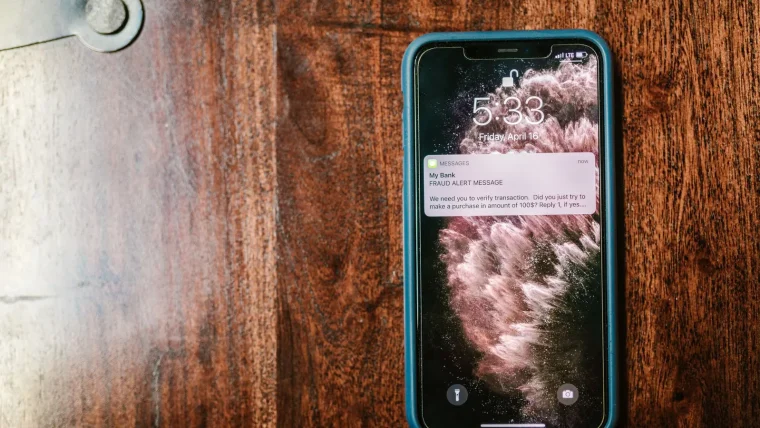
Phishing works by tricking you, the human, into handing over information. A VPN cannot fix that, because it never sees the deception at all.
A fake bank login page looks identical whether or not you are on a VPN. When you type your password into it, the VPN faithfully delivers your credentials straight to the scammer. Encryption does not help when you are the one voluntarily giving the data away.
This is the most dangerous myth in practice. People who feel protected by a VPN sometimes let their guard down on suspicious links and messages, which is exactly the wrong reaction. A VPN should never change how carefully you treat a login page.
Myth 4: Public Wi-Fi is deadly without a VPN
This one is not entirely false, just badly out of date. It was a real concern when many sites sent data in plain text.
Today nearly every site uses HTTPS, which encrypts your connection to the site directly. A stranger on the same cafe network sees scrambled traffic, not your passwords. A VPN still adds a useful layer on networks you do not control, but the doomsday framing in the ads oversells it badly.
If public Wi-Fi is your only concern, using your phone’s mobile hotspot is often simpler and just as effective as paying for a subscription.
Myth 5: All VPNs are basically the same
Under the hood, the trust models differ enormously, and this is where the choice actually matters.
A free VPN with no audit and hidden owners is a completely different animal from an independently audited, transparent provider. One may be quietly logging and selling your browsing; the other has outside proof it does not. Choosing badly here can leave you worse off than using no VPN at all.
The differences are real and checkable, which is why we wrote a full walkthrough on choosing a VPN you can actually trust. Ten minutes of vetting separates the honest providers from the rest.
What a VPN really does, in one table
Here is the honest scorecard, so you know exactly where the tool helps and where it does nothing.
| The claim | True or myth | Reality |
|---|---|---|
| Hides browsing from your provider | True | Your provider sees only that you use a VPN |
| Changes your apparent location | True | Sites see the VPN server, not you |
| Makes you anonymous | Myth | Accounts and cookies still identify you |
| Blocks viruses and malware | Myth | The tunnel carries harmful files unchanged |
| Stops phishing and scams | Myth | You still hand data to fake pages yourself |
A good mental model: a VPN changes the road your data travels on, not the cargo it carries. It hides your route from onlookers but does nothing about a dangerous package you loaded yourself.
Using a VPN the honest way
None of this means a VPN is useless. It means you should use it for its real jobs and keep every other protection firmly in place.
Run it to keep your provider out of your browsing, to reach region-locked content, or to add a layer on untrusted networks. Then, exactly as before, stay updated, use a password manager, enable two-factor login, and treat every unexpected link with suspicion. The VPN handles one narrow slice; you and your habits handle the rest.
For a plain-language reference on online safety that does not oversell any single tool, the U.S. Federal Trade Commission keeps a readable hub at consumer.ftc.gov.
Your afternoon checklist
- Write down what you expected your VPN to do, then cross off anything on the myth list above.
- Confirm you still have automatic updates on, since a VPN does nothing to patch your software.
- Check that two-factor login is enabled on your email and bank, VPN or not.
- Promise yourself to treat suspicious links exactly as carefully whether or not the VPN is on.
- If public Wi-Fi was your only worry, test your phone’s hotspot as a simpler alternative.
- Verify your current VPN has an independent audit, and plan to switch if it does not.
- Delete any free VPN you cannot confirm keeps no logs.
A VPN is a fine tool once you stop asking it to do jobs it was never built for. Keep your expectations honest and your other habits sharp, and it becomes a quiet helper instead of a false shield.